
Does HTTPS mean a website is safe?
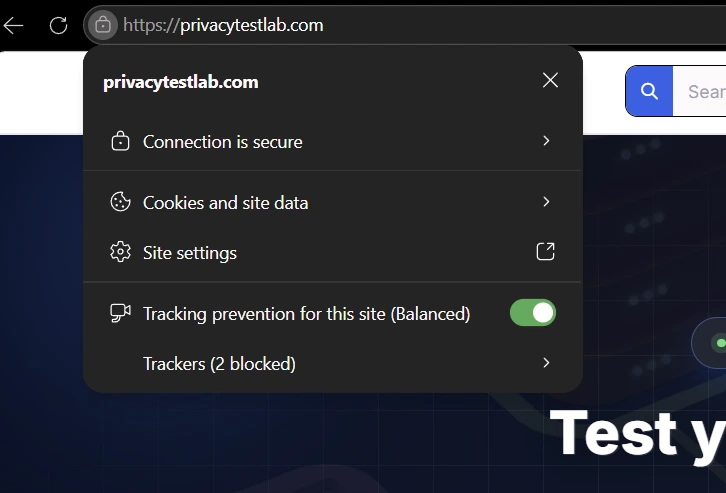
No — and this is one of the most persistent misunderstandings in basic internet safety advice. HTTPS and the padlock icon confirm exactly one thing: your connection to whatever domain you're currently on is encrypted. They say nothing about who registered that domain, what they intend to do with anything you type into it, or whether the page is a faithful copy of a company you trust or a convincing forgery of one.
What HTTPS actually guarantees
It helps to be precise about this, because the gap between what HTTPS proves and what people assume it proves is exactly where the misunderstanding lives.
Your connection is encrypted
Data traveling between your browser and the server is scrambled using TLS, so anyone intercepting it — your ISP, someone on the same Wi-Fi network, anyone positioned between you and the destination — sees unreadable noise instead of your actual traffic.
You're talking to the exact domain shown in the address bar
The certificate cryptographically proves the site responding to your request really does
control the domain named in its certificate. That's a real, meaningful guarantee — it's
just a narrower one than most people assume. It confirms you're on paypal-security-update.info
if that's what you typed or clicked. It says nothing about whether that domain has anything
to do with the real PayPal.
What HTTPS does not guarantee
None of the following are things a padlock checks, verifies, or even attempts to check:
- Whether the business or person running the site is who they claim to be
- Whether the site's content is honest, accurate, or non-malicious
- Whether the domain was registered five years ago or five minutes ago
- Whether the page you're looking at is a phishing clone of a real company's site
Why a phishing site can get a padlock in minutes
Free, automated certificate authorities — Let's Encrypt is the largest — will issue a valid DV certificate to any domain the requester can prove they control, which for a newly registered domain takes minutes, not days. No human reviews the request, and nothing checks what the site plans to do with it. This is genuinely good for the web overall — it's a major reason HTTPS adoption climbed from a minority of sites to the overwhelming majority in under a decade — but it also means "this site has a valid certificate" stopped correlating with "this site went through any kind of vetting" a long time ago.
Browsers used to tell you more — and deliberately stopped
This part of the story rarely makes it into basic security advice, but it's the clearest evidence that the industry itself has concluded the padlock oversold its own meaning.
The green address bar experiment
Starting in 2007, a more rigorous certificate type called Extended Validation (EV) let browsers display the verified company's legal name directly in a green address bar — Safari, Chrome, and Firefox all supported it, and the idea was straightforward: real identity verification, shown prominently, should help people spot fakes.
The green coloring is removed; the company name still appears in the address bar, just in plain black text.
The company name is removed from the address bar entirely, on both browsers within the same year.
Google's own security team explained the reasoning plainly in their announcement: "the EV UI does not protect users as intended." Independent research backed this up — a study by Thompson et al. found that even with the green bar present, 85% of test users still failed to identify a phishing site by examining the address bar. The indicator that was supposed to be the strongest anti-phishing signal in the browser simply didn't move the needle on the behavior it was meant to change.
The padlock itself is being phased out next
The same pattern repeated with the padlock icon itself. Chrome's own 2021 research, surveying 1,880 users, found that 89% misunderstood what the padlock actually indicated, and only 11% could correctly describe it. Starting with Chrome 117 in September 2023 (rolling out further through Chrome 120 on some platforms), Google replaced the padlock with a neutral "tune" icon — deliberately less reassuring-looking, specifically so it stops implying "trustworthy" when the only thing it can honestly promise is "encrypted." Safari has also moved away from the traditional lock icon; Microsoft Edge, built on the same underlying engine as Chrome, was still showing the padlock as of early 2025, though it tends to follow Chrome's UI decisions eventually.
The only thing your browser reliably warns you about
Given everything above, it's worth being precise about what browsers are actually good at flagging — because there is one thing they catch reliably, and it isn't phishing.
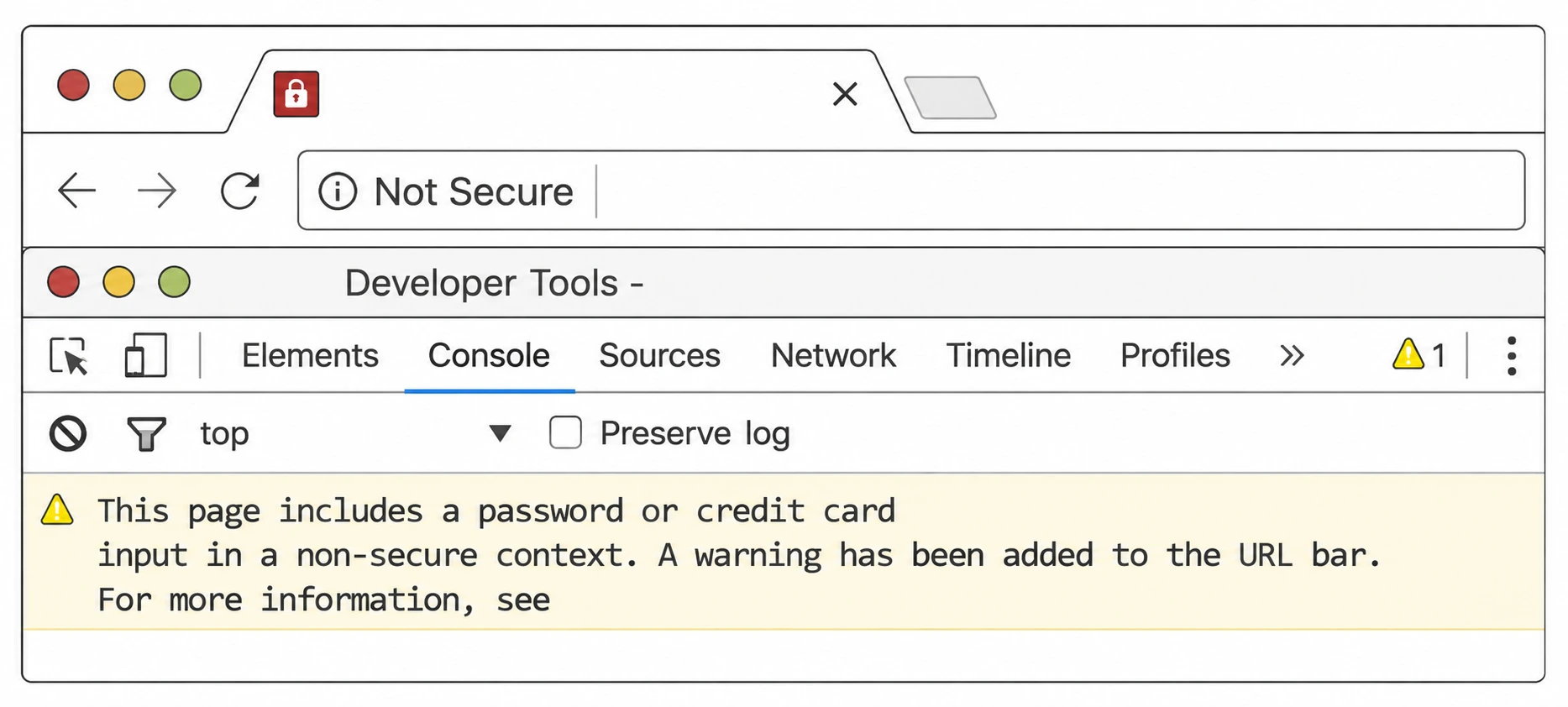
Modern browsers actively flag plain HTTP pages that contain a password or payment field, marking the address bar "Not Secure" and, as shown above, logging an explicit warning in the developer console. This is a genuinely useful, reliable signal — but notice what it's detecting: the absence of encryption, not the presence of bad intent. A browser has no mechanism to warn you that an HTTPS page is a phishing clone, because from a pure protocol standpoint, a perfectly encrypted connection to a scam site and a perfectly encrypted connection to your real bank look identical. The warning system was built to catch a specific, checkable condition — no encryption — not a subjective one like "who runs this."
What to actually check instead
None of this means HTTPS doesn't matter — always prefer it over plain HTTP, and treat a password field on an HTTP page as a genuine red flag. It means the padlock was never designed to answer the question most people use it to answer. What actually helps:
- Read the domain itself, not just a brand name that happens to appear somewhere in the URL — our phishing attack guide covers the specific patterns (subdomain tricks, typosquats, look-alike characters) worth knowing.
- Check a suspicious link before visiting it with our phishing link detector, which looks at domain age, redirect chains, and blocklist status — none of which the padlock touches.
- Let a password manager make the call for you. A manager that only autofills on the exact domain it was saved for will simply stay silent on a convincing look-alike domain, regardless of whether that domain has a padlock.
- Verify through a channel the site itself didn't provide — open your banking app directly, or call the number printed on your card, rather than trusting a link or number the page gave you.
If a website doesn't have HTTPS, is it automatically dangerous?
Not automatically dangerous, but it should raise your guard, especially if the site asks you to type anything. Plain HTTP means your connection isn't encrypted — anyone on the same network, or your ISP, or anyone else positioned between you and the site can read or tamper with the data in transit. A small static page with no login form and no forms at all is low-risk over HTTP. A page asking for a password, a card number, or any personal detail over HTTP is a real problem regardless of how legitimate the rest of the site looks.
Can I trust a site just because it shows "Connection is secure"?
That message means exactly one thing: the certificate matches the domain you're actually on, and the connection is encrypted. It does not mean the domain belongs to who you think it belongs to, and it does not mean the operator's intentions are honest. A phishing domain that perfectly imitates your bank's login page will show the exact same "Connection is secure" message, because as far as your browser is concerned, that's a completely true statement about the domain it's actually looking at — which may not be the one you meant to visit.
What's the actual difference between DV, OV, and EV certificates?
Domain Validation (DV) only confirms whoever requested the certificate controls the domain — no identity check at all, and it's what free automated services like Let's Encrypt issue in minutes. Organization Validation (OV) adds a manual check that a real registered business exists behind the domain. Extended Validation (EV) goes further still, requiring documented proof of the company's legal identity and physical existence. All three produce an identical padlock/lock-adjacent icon in the address bar today — the extra verification in OV and EV no longer displays any differently to an ordinary visitor, which is a large part of why they've become far less common than they used to be.
Why did browsers get rid of the green address bar?
Google's own security team said, in their public announcement, that "the EV UI does not protect users as intended." Chrome dropped the green coloring in version 69 (September 2018) and removed the company name entirely in version 77 (2019); Firefox made the same change in version 70 around the same time. The reasoning: research showed the green bar didn't meaningfully stop people from falling for phishing sites, it consumed address-bar space that mattered more on mobile, and in some cases a confusingly-named but technically legitimate company could make the indicator actively misleading rather than reassuring.
Does the new "tune" icon in Chrome mean something different from the old padlock?
Functionally, no — clicking it still opens the same connection and certificate details the padlock used to. What changed is the messaging. Google replaced the padlock with a neutral "tune" icon starting in Chrome 117 (rolling out further through Chrome 120 on some platforms) specifically because their own research found that most people misread the padlock as a general trust signal rather than what it actually indicates. Chrome's security team put a number on it: 89% of study participants misunderstood what the padlock icon meant, and only 11% could correctly describe it. The tune icon is a deliberate attempt to stop implying "safe" when the browser can only ever promise "encrypted."
What's the fastest way to check if a link is actually safe before clicking it?
Look at the domain itself rather than the padlock — read what comes immediately before the first single slash after "https://," not just whatever brand name appears earlier in the string. If you want a second check beyond your own reading, our phishing link detector checks a pasted link against live blocklists and structural signals — domain age, look-alike characters, redirect chains — none of which have anything to do with whether the site happens to have a padlock.