
What is a VPN kill switch, and does every VPN actually enforce one?
A kill switch is the feature that's supposed to cut your internet the instant your VPN drops, so you never send a single packet outside the encrypted tunnel unprotected. It's also one of the most overstated features in the entire VPN industry — nearly every provider lists it, but "has a kill switch" and "reliably blocks every leak in every scenario" are two very different claims. Here's how it actually works, where it fails, and how to test yours instead of trusting the marketing page.
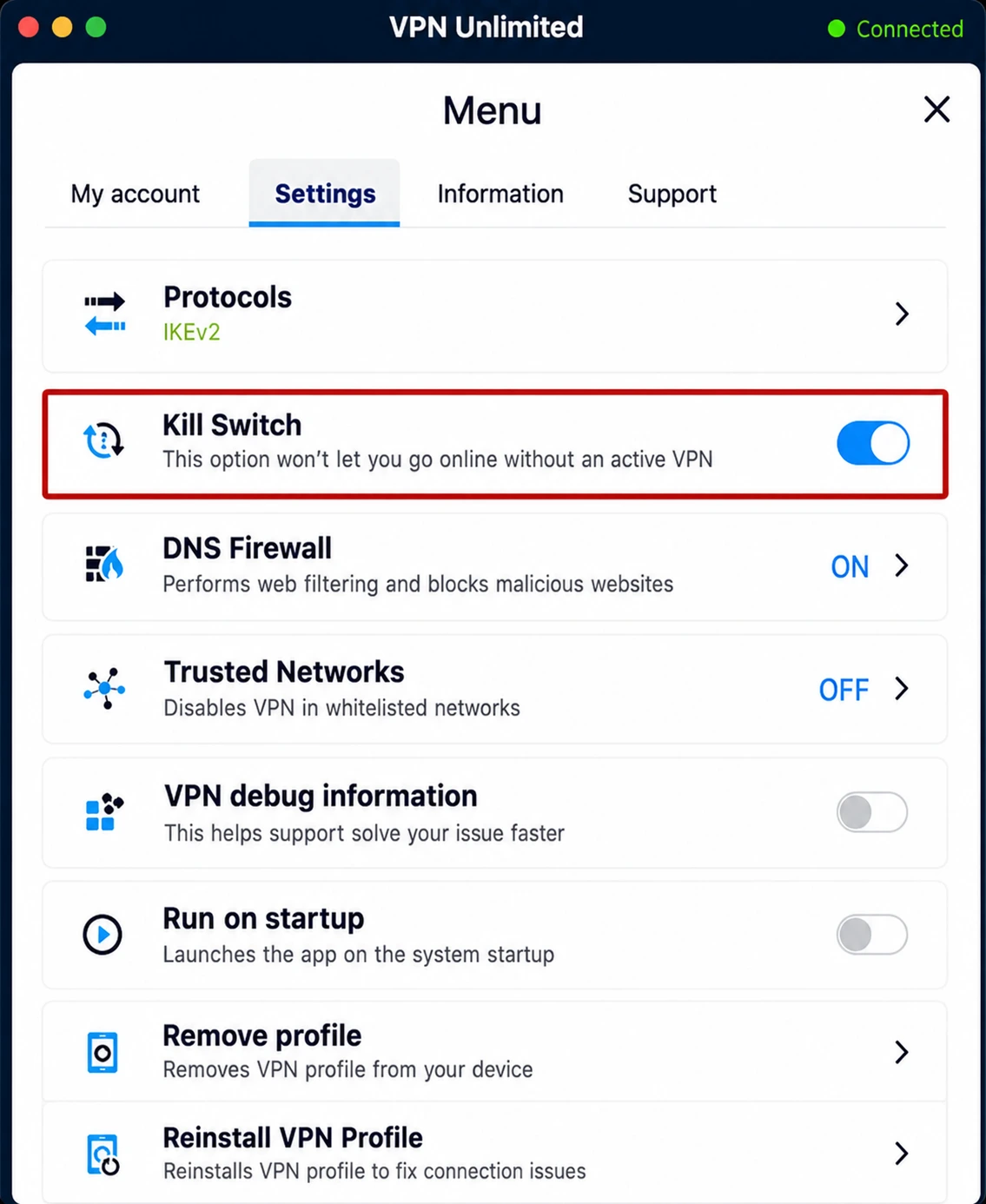
The basic idea, in plain terms
Your VPN app doesn't just encrypt traffic — while it's connected, it also becomes the only path your device is allowed to use to reach the internet. A kill switch is the enforcement layer behind that rule. If the encrypted tunnel disappears for any reason, the kill switch is supposed to immediately block every other path too, rather than quietly letting your traffic fall back to your normal, unprotected connection.
Without one, a dropped VPN connection is invisible to you but not to anyone watching your traffic. Your browser doesn't know the VPN died; it just keeps sending requests, and those requests now go out with your real IP address attached. You can see exactly what your connection currently exposes with our IP leak test.
App-level kill switch vs. system-level kill switch
This is the distinction most comparison articles skip, and it matters more than which provider you pick.
App-level kill switch
- Runs as long as the VPN app process is alive
- If the app itself crashes or is force-closed, protection dies with it
- Common on mobile apps and older desktop clients
System-level (firewall) kill switch
- Implemented as OS firewall rules, independent of the app process
- Keeps blocking traffic even if the VPN app crashes entirely
- Used by ExpressVPN's Network Lock, Mullvad, ProtonVPN, and most audited providers
If a provider's documentation only ever describes the kill switch in terms of "when you disconnect," that's usually a sign you're looking at the app-level version — worth confirming before you rely on it for anything sensitive.
How it's actually implemented under the hood
On Windows this is built with the Windows Filtering Platform; on macOS and Linux it's almost always pf or
iptables/nftables rules. The logic is the same everywhere: allow
traffic only through the VPN's virtual network interface (commonly named tun0
or utun), and drop everything else by default. A minimal Linux example looks
like this:
iptables -I OUTPUT 1 -o lo -j ACCEPT      # allow loopback
iptables -I OUTPUT 2 -o tun0 -j ACCEPT    # allow the VPN interface
iptables -I OUTPUT 3 -j DROP              # drop everything else
Notice what this snippet doesn't cover: IPv6. If the same rules aren't
duplicated for ip6tables, a device with a live IPv6 address can keep
communicating over IPv6 in plain sight, because the kill switch was only ever watching
IPv4. This single oversight is the most common real-world kill switch failure, and it's
largely invisible unless you specifically test for it — our
IPv6 leak test checks whether
the address a website sees matches your VPN server or your ISP.
The timing gap nobody advertises
Even a correctly built, dual-stack kill switch has one structural weakness: it can only react after it detects the tunnel is gone. Between the moment the connection actually drops and the moment the firewall rule engages, there's a brief window where the OS may still route traffic normally. Most of the time that window is small enough to be harmless. Two pieces of research show it isn't always.
In May 2024, security researcher Dani Cronce at Leviathan Security disclosed TunnelVision (CVE-2024-3661), a technique that abuses a legitimate DHCP option (121) on the local network to install a more specific route than the VPN's own, silently pulling traffic outside the tunnel while the VPN app still reports "Connected." Because the tunnel interface itself never goes down, a kill switch that's only watching for a dead connection has nothing to trigger on.
A year earlier, the academic TunnelCrack research from KU Leuven and NYU Abu Dhabi found comparable routing-table bypass techniques (the "LocalNet" and "ServerIP" attacks) affecting effectively every VPN client tested, with iOS and macOS apps the most consistently vulnerable. Independent hardware-testing outlet RTINGS later ran its own forced-disconnect stress tests across 20 popular VPNs and found 17 leaked data during at least one scenario.
So — does every VPN actually enforce one?
No, in three distinct ways worth separating:
- Some providers don't build one at all, particularly free VPN apps. A 2025 academic testbed study evaluating free clients — including TurboVPN, VPNBook, VPNJantit, and VPNGate — found that all but one leaked IPv6 traffic outright in normal use, independent of any disconnect scenario. Our free vs. paid VPN guide goes into what else free tiers typically skip.
- Some ship one that's off by default. The feature exists in settings but isn't enabled out of the box, which means the large majority of users relying on default settings have no protection at all.
- Some ship one that's incomplete — IPv4-only, app-level rather than system-level, or untested against reconnection edge cases like waking from sleep or switching Wi-Fi networks. A documented 2025 vulnerability in PureVPN's Linux client (CVE-2025-59691, CVE-2025-59692) showed exactly this: toggling Wi-Fi or resuming from suspend caused the kill switch to report "connected" while IPv6 traffic quietly regained a direct route via router advertisements — and disconnecting the VPN afterward left the user's entire local firewall configuration wiped and never restored.
"Has a kill switch" on a feature comparison page is a checkbox. Whether it's on by default, covers IPv6, survives a sleep/wake cycle, and holds up against routing-table attacks like TunnelVision are four separate, testable claims.
How to actually test yours
Don't take the "Connected" badge at face value. Five checks, roughly in order of how often they catch a real gap:
- Kill the process, not just the connection. While connected, open a background download or leave a page auto-refreshing, then force-quit the VPN app from Task Manager or Activity Monitor rather than clicking "Disconnect." An app-level-only kill switch typically fails this test.
- Pull the cable. Unplug Ethernet or disable Wi-Fi entirely for a few seconds, then reconnect, and watch whether anything sneaks through during the reconnection handshake.
- Sleep and wake the device. Put your laptop or phone to sleep for a minute and wake it back up — this is the exact scenario the PureVPN and several router-firmware vulnerabilities were found in.
- Switch networks mid-session. Move from Wi-Fi to a mobile hotspot (or vice versa) while a page is actively loading.
- Check IPv6 specifically, separately from IPv4. Run our IPv6 leak test and DNS leak test after each of the steps above, not just once at the start.
Platform-by-platform reality check
| Platform | Typical mechanism | Known gap |
|---|---|---|
| Windows | Windows Filtering Platform firewall rules | Rules sometimes written IPv4-only; briefly bypassable via TunnelVision-style DHCP option 121 |
| macOS | pf packet filter rules | Historically the platform TunnelCrack found most consistently vulnerable |
| Linux | iptables/nftables | IPv6 rules frequently omitted unless configured explicitly; firewall state not always restored on disconnect |
| Android | OS-level "Block connections without VPN" + AllowedIPs ::/0, 0.0.0.0/0 | Rated most consistently secure by TunnelCrack, but only if the app enforces full-tunnel routing rather than split-tunnel by default |
| iOS | On-Demand / Always-on VPN API, not a raw firewall hook | No direct system-level packet filter exposed to third-party apps; protection quality depends entirely on how the VPN app implements the API |
Kill switch, Always-on VPN, and split tunneling — how they interact
These three settings get conflated constantly, and misunderstanding them is how people end up with a false sense of security.
- Kill switch: blocks traffic when the tunnel is down. A safety net, not a connection manager.
- Always-on VPN: an OS-level policy (built into iOS, Android, and Windows via MDM) that automatically reconnects the tunnel and prevents apps from bypassing the VPN profile entirely. Reduces how often the kill switch needs to fire.
- Split tunneling: deliberately routes some apps or destinations outside the VPN by design — usually for local network access or bypassing geo-restrictions on specific apps. Any app or address on the split-tunnel exclusion list is, by definition, exempt from the kill switch, since it was never supposed to go through the tunnel in the first place. If you've enabled split tunneling and are relying on the kill switch for full protection, you've created a gap yourself.
The safest combination for anything sensitive — banking, whistleblowing, journalism, torrenting on a network that penalizes it — is a system-level kill switch, Always-on VPN enabled, and split tunneling turned off entirely. If you're still choosing a provider, our best VPNs guide is a reasonable place to start comparing options — just confirm the kill switch details above yourself rather than taking any provider's feature list at face value.
What exactly triggers a kill switch?
Any event that drops the VPN tunnel: the server connection timing out, switching from Wi-Fi to mobile data, waking your laptop from sleep, the VPN app crashing, or your ISP briefly cutting your internet. A well-built kill switch reacts to all of these; a poorly built one only reacts to the case its developers explicitly tested for, usually a clean manual disconnect.
Is a kill switch the same thing as "Always-on VPN"?
No, and mixing them up is one of the most common configuration mistakes. A kill switch blocks traffic when the tunnel is down. Always-on VPN (the setting built into iOS, Android, and Windows MDM policies) automatically reconnects the tunnel as soon as a network becomes available and refuses to let the OS route traffic outside a VPN profile at all. The two are complementary — Always-on VPN reduces how often you need the kill switch to fire, but it isn't a substitute for one.
Does a kill switch protect against IPv6 leaks?
Only if it was built to. Most kill switches were originally written as IPv4-only firewall rules, which means a device with a live IPv6 address can keep talking to the internet in plain sight even while the kill switch believes it has blocked everything. Check this yourself with our IPv6 leak test rather than trusting the provider's marketing copy.
Why did my VPN leak my IP even though the kill switch was on?
Almost certainly one of two documented design flaws, not bad luck. The 2024 TunnelVision technique (CVE-2024-3661) abuses a DHCP option to quietly redirect traffic around the tunnel while the VPN app still reports "Connected." The earlier TunnelCrack research found comparable bypass routes in effectively every VPN product tested. Neither requires the tunnel to actually drop, so a kill switch built only to watch for a dead connection never fires.
Do free VPNs have kill switches?
Rarely, and when they do, it's often the weakest implementation available. A 2025 academic testbed study that evaluated free clients including TurboVPN, VPNBook, and VPNGate found that nearly all of them leaked IPv6 traffic outright, with only one tested app tunneling it correctly. Treat "kill switch included" on a free VPN's feature list as a claim to verify, not a fact to trust — our free vs. paid VPN guide covers what else tends to get cut on the free tier.
Does iOS have a real kill switch?
It has a close approximation, not the same mechanism as Windows or Linux. iOS gives VPN apps an "On-Demand" / Always-on VPN API and a per-profile "Connect On Demand" toggle, and Apple doesn't expose the low-level packet-filtering hooks that a desktop firewall rule uses. Reputable iOS VPN apps build their kill switch behavior on top of this API, which is generally reliable for app crashes and dropped connections, but it's a narrower guarantee than the firewall-rule approach used on desktop.