The short version
- Free plan Yes, one device at a time
- Encryption XChaCha20 + Argon2id
- Independent audits Cure53, most recently 2024
- Owned by Nord Security
NordPass encrypts your vault with XChaCha20, a modern cipher chosen for the same reasons Google and Cloudflare use it — it's fast on devices without dedicated encryption hardware and more resistant to a specific class of implementation mistakes than older algorithms. That encryption happens entirely on your device before anything reaches NordPass's servers, meaning the company itself cannot read your passwords even under legal pressure. Cure53, an independent German security firm, has audited the app repeatedly since 2020, most recently in 2024, and found nothing that undermined that architecture.
The free plan is real — unlimited passwords, passkeys, and secure notes, no credit card, no time limit — but it restricts you to being logged in on one device at a time. Open NordPass on your phone and your laptop session ends automatically. For anyone who owns more than one device, which is most people, Premium is the practical minimum rather than an optional upgrade. NordPass is built by Nord Security, the same company behind NordVPN and Surfshark, which is worth knowing both for the trust signal (repeated audits, a large security team) and for the one thing worth factoring in: NordVPN's own 2018 server breach took the company six months to disclose publicly, a fact worth understanding even though it involved a different product and no NordPass data.
What NordPass is
NordPass is a password manager launched in 2019 by Nord Security, the Lithuanian-founded company better known for NordVPN. It stores passwords, passkeys, credit card details, and secure notes in an encrypted vault, then autofills them across your browser and apps so you don't have to type or remember them.
Nord Security also owns Surfshark, following the 2022 merger between the two companies covered in our Surfshark review — meaning three of the products you might compare against each other (NordPass, NordVPN, and Surfshark) ultimately answer to overlapping ownership. NordPass itself operates as a separate product team within Nord Security, with its own engineering staff and its own audit history.
Is NordPass free
Yes, genuinely — no credit card required, no expiry date. The free plan includes unlimited password, passkey, secure note, and credit card storage, which is more generous than several competitors' free tiers on storage alone.
Free accounts can only be logged in on a single device at once. Sign in on your phone, and your laptop session ends automatically — there's no simultaneous multi-device sync. This is the single most-cited limitation across independent reviews and the main reason most people end up on Premium fairly quickly. If you only ever use one device, the free plan is a complete, capable password manager with no asterisks. If you move between a phone, a laptop, and a work computer, budget for Premium from the start rather than discovering the restriction mid-setup.
What's excluded from free regardless of device count: the Data Breach Scanner, Password Health reports, and Family/Business sharing features — all Premium-tier or above. New sign-ups on mobile have also reported a 30-day trial period where Premium features unlock temporarily before reverting to the free tier's limits, without requiring a card.
Encryption and security audits
NordPass uses XChaCha20 for vault encryption, paired with Argon2id for turning your master password into an encryption key — a memory-hard function specifically designed to make brute-force cracking slow even if someone obtained your encrypted vault file. The architecture is zero-knowledge: your master password and the keys derived from it never leave your device, so NordPass's own servers only ever store encrypted data they cannot read.
Independent verification backs this up. Cure53's original 2020 audit examined the desktop apps, browser extensions, and mobile apps, and found nine vulnerabilities, all resolved before the audit concluded — a normal and expected outcome for a first comprehensive audit, not a red flag on its own. A follow-up 2021 audit covered the Admin Panel and Nord Account infrastructure, and a further audit in 2024 examined the cryptographic foundation and source code again. NordPass Business separately holds a SOC 2 Type II certification and ISO 27001 compliance, covering operational security practices rather than just the codebase.
As of 2026, NordPass itself has never had a public breach or vault compromise since its 2019 launch. That's a meaningfully different track record from a competitor like LastPass, which suffered major, well-documented breaches. The one thing worth knowing about the parent company is covered in its own section below rather than buried here, because it deserves a direct answer rather than a footnote.
Nord Security and the 2018 breach
NordPass has never been breached. Its parent company's other flagship product, NordVPN, has — once, in 2018, and the details matter more than the headline. A hacker exploited an expired remote-management credential left active by a third-party data center NordVPN rented server space from in Finland, gaining access to a single server out of thousands. No user activity logs, usernames, or passwords were exposed, because that server didn't store any — consistent with NordVPN's no-logs architecture at the time.
What's fair to criticize: NordVPN learned of the breach in April 2019 and didn't disclose it publicly until October 2019 — a six-month gap that drew real criticism from the security community, and reasonably so. A privacy company has a higher obligation to disclose quickly, even when the actual exposure looks limited. NordVPN's response afterward was substantive rather than cosmetic: it terminated the contract with the data center, migrated its entire network to RAM-only servers it owns directly rather than rents, launched a HackerOne bug bounty program in December 2019, and brought on Troy Hunt — the researcher behind Have I Been Pwned — as a strategic advisor in 2020. The disclosure problem hasn't repeated since.
None of this is a NordPass security incident — it involves different infrastructure, different data, and predates NordPass's 2019 launch entirely. It's relevant context on how the parent company has handled a real security failure in the past, which is a reasonable thing to want to know before trusting any company with your password vault, not a reason to distrust NordPass's own separate audit record.
Features and password health
Beyond basic storage and autofill, NordPass includes a set of features aimed at improving your actual password hygiene, not just holding onto bad ones more conveniently:
- Password Health — scans your vault for weak, reused, and old passwords, and scores your overall vault security. You can spot-check any individual password against our own password strength checker.
- Data Breach Scanner — checks whether your saved emails, logins, or payment cards have appeared in a known data breach, alerting you to change compromised credentials.
- Passkey support — stores and autofills passkeys alongside traditional passwords, for the growing number of sites offering passwordless login.
- Email Masking — generates a masked email alias for sign-ups, forwarding messages to your real inbox without exposing your actual address.
- Biometric login — unlock with Face ID, fingerprint, or Windows Hello instead of typing your master password every time.
- Secure item sharing — share individual passwords or notes with another NordPass user without exposing your full vault.
One recurring friction point across independent reviews: NordPass requires you to re-enter your master password the first time you log in to a website in a new browsing session, on any device — a deliberate security choice, but one reviewers consistently flag as noticeable daily friction compared to competitors that persist the unlocked state longer.
NordPass browser extension
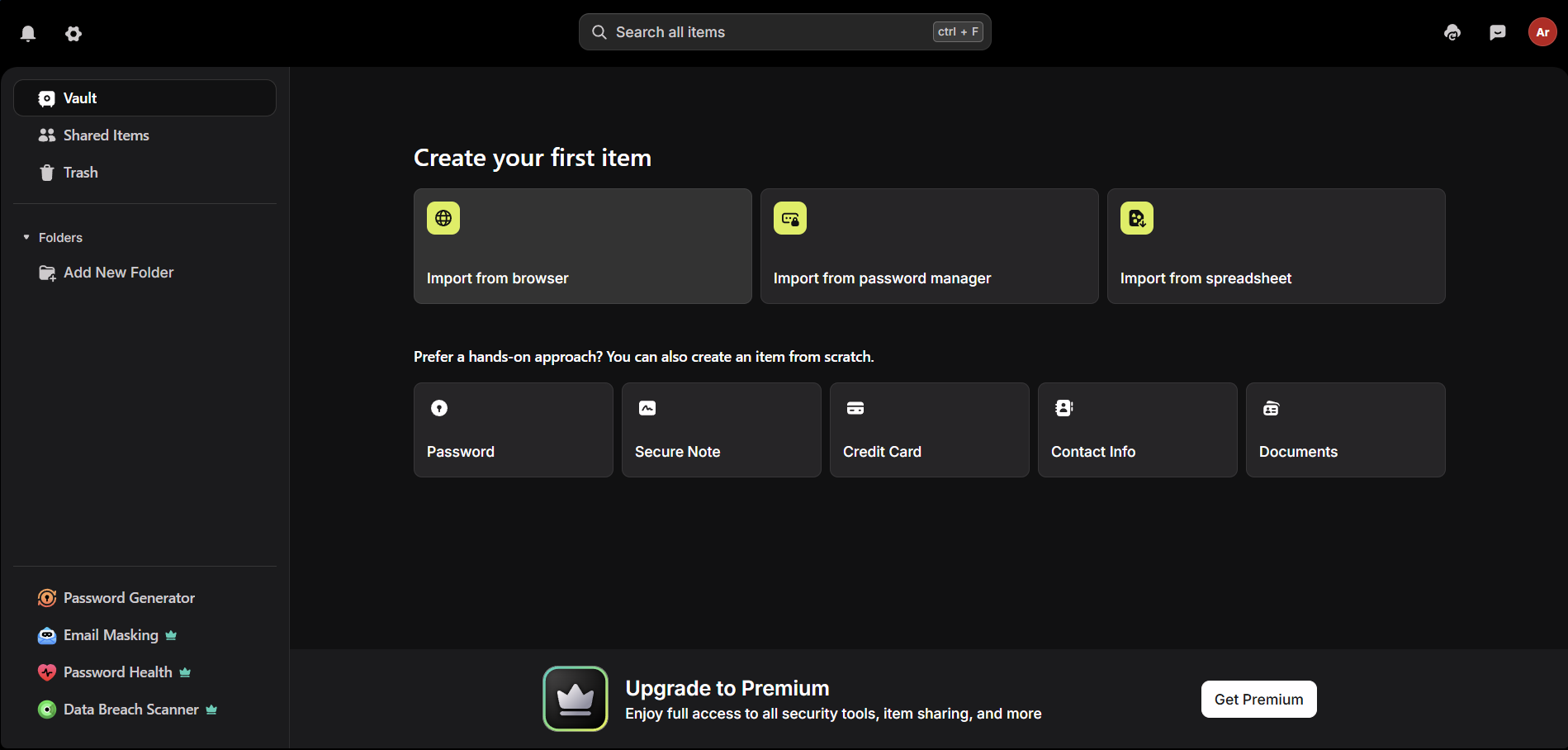
The NordPass extension is available for Chrome, Firefox, Edge, Safari, Brave, and other Chromium-based browsers, installed free from each browser's official extension store. It handles autofill, password generation, and saving new logins as you sign up for sites, and syncs with the desktop and mobile apps under the same account.
- Go to your browser's extension store and search "NordPass."
- Click Add or Get to install.
- Click the NordPass icon in your toolbar and sign in, or create an account if you're new.
- Set your master password — this is the one password you actually need to remember.
- Import existing passwords from your browser's built-in manager or another password manager if you're switching.
The extension works on its own without the desktop app installed, though pairing both gives you offline vault access and system-level autofill outside the browser.
NordPass download for every device
Windows
- Go to nordpass.com and sign up, or sign in if you already have an account.
- Download the Windows installer from your account or the download page.
- Run the installer and follow the setup prompts.
- Sign in and set your master password.
Mac
- Download the macOS installer from nordpass.com, or install directly from the Mac App Store.
- Open the file and follow the installation prompts.
- Sign in with your NordPass account.
- Enable Touch ID unlock in settings if your Mac supports it, to avoid retyping your master password constantly.
Linux
- Download the appropriate package (
.deb,.rpm, or AppImage) from nordpass.com for your distribution. - Install via your distribution's package manager or by running the AppImage directly.
- Sign in with your NordPass account.
Android
- Open Google Play and search "NordPass," or follow the link from nordpass.com.
- Install, open, and sign in with your account.
- Enable NordPass as your device's autofill service under Settings when prompted, so it can fill logins in other apps, not just the browser.
iOS (iPhone and iPad)
- Open the App Store and search "NordPass."
- Install and sign in with your account.
- Enable NordPass as your AutoFill provider under Settings → Passwords → Password Options, so it can fill logins system-wide rather than only inside the app.
NordPass pricing
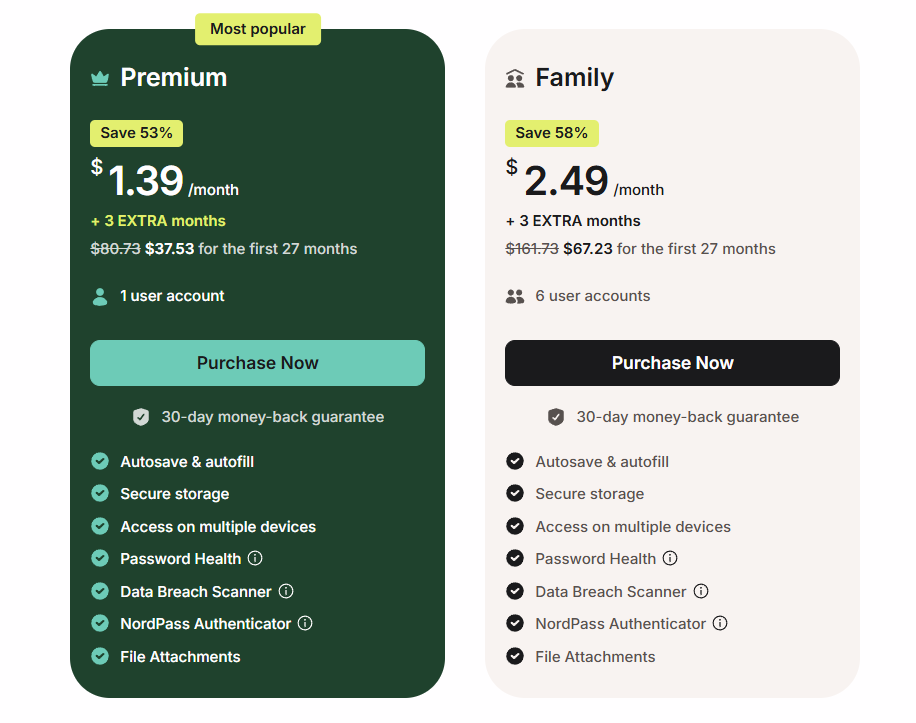
NordPass splits into personal plans (Free, Premium, Family) and business plans (Teams, Business, Enterprise). Pricing shifts with promotions and NordPass doesn't publish flat monthly figures on its site, so treat this as a snapshot and confirm the live rate at checkout.
| Plan | Monthly (no commitment) | 1-year | 2-year | Users |
|---|---|---|---|---|
| Free | Free | — | — | 1 (one device at a time) |
| Premium | ~$2.99–4.99/mo | ~$1.99–2.99/mo | ~$1.49–1.89/mo | 1 |
| Family | ~$5.99–6.99/mo | ~$3.69/mo | ~$2.79–2.99/mo | Up to 6 |
| Plan | Approx. price | Minimum users | Best for |
|---|---|---|---|
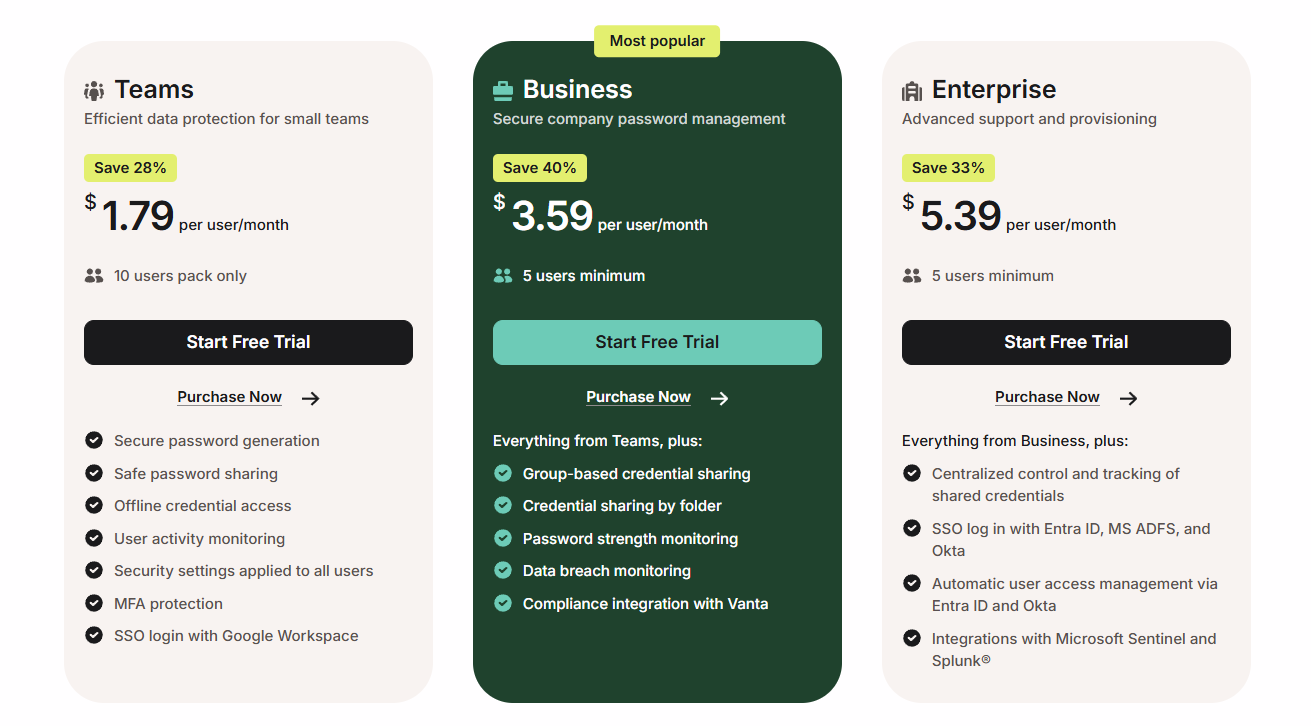
| Teams | ~$1.79–3.99 | 10 (fixed pack) | Small teams wanting simple shared vaults |
| Business | ~$3.21–7.99 | 5 | Growing companies needing admin controls |
| Enterprise | Custom quote | Scales to 10,000+ | Large organizations needing SSO/SCIM |
The Family plan is the standout value in the lineup: at the 2-year rate, six fully independent Premium vaults work out to under $0.50 per person per month, and unlike a shared-vault model, each member gets their own private vault with nothing visible to the others unless they explicitly share an item. It doesn't have to be an actual family — any group of up to six people can split it.
Every plan comes with a money-back guarantee: 30 days on personal plans, 14 days on business plans. NordPass states plainly in its terms that renewal prices may differ from — and be higher than — your introductory rate, though it doesn't publish the exact renewal figures the way some competitors do; check your account or contact support ahead of renewal if you want the number in advance.
NordPass coupon codes
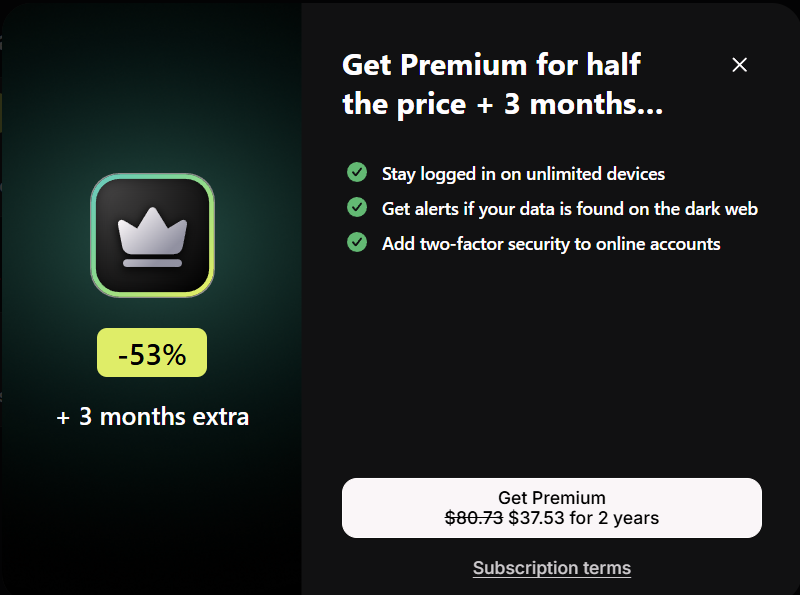
PrivacyTestLab doesn't run an affiliate program with NordPass, so there's no exclusive code here. NordPass's advertised pricing already reflects a steep discount for longer commitment terms — the 2-year plan can run to roughly half the 1-year monthly rate — so a stacked coupon rarely adds much beyond what's already showing at checkout. NordPass also offers a student discount (commonly cited around 10%) through direct verification on its site; if you're eligible, that's a legitimate additional saving worth checking rather than a third-party code.
NordPass Business and Enterprise
NordPass's business tiers add centralized administration on top of the same encryption and vault architecture used in personal accounts. Key features:
- Admin Panel — manage user access, permissions, and shared folders from a central console rather than each employee's individual vault.
- Activity Log — a record of actions performed by team members, useful for audit trails and spotting unusual account activity.
- Company-wide Data Breach Scanner and Password Health — the same features available to individuals, applied across every domain and credential the organization uses, visible to admins and owners.
- Autolock policies — enforce automatic vault locking after a set period of inactivity across the whole organization.
- Free personal Premium account — business plan subscribers each get a separate personal vault included at no extra cost, useful for keeping work and personal credentials cleanly separated.
Teams is priced as a fixed 10-user pack, aimed at small teams that don't need granular admin controls. Business scales per seat from a 5-user minimum with fuller admin functionality. Enterprise adds single sign-on (SSO) and SCIM provisioning for organizations that need password management to plug into existing identity infrastructure, priced through a custom quote rather than published tiers.
NordPass vs. other password managers
| Category | NordPass | Bitwarden | Proton Pass |
|---|---|---|---|
| Free plan device limit | One device at a time | Unlimited devices | Unlimited devices |
| Cheapest paid tier | ~$1.49/mo | ~$0.83/mo | ~$1.99/mo |
| Open source | No | Yes | Yes (clients) |
| Encryption | XChaCha20 | AES-256 | XChaCha20 |
| Independent audits | Cure53, multiple rounds | Multiple firms | Cure53 |
If unlimited free-tier devices matter more than anything else, Bitwarden's free plan doesn't carry NordPass's one-device restriction. If open-source, independently reviewable client code is a hard requirement, both Bitwarden and Proton Pass offer that where NordPass remains closed-source. NordPass's advantages are ease of use, the Family plan's per-person value, and being part of a security ecosystem if you're already using NordVPN or Surfshark.
Who NordPass is actually for
NordPass fits people who want strong, independently audited encryption in a genuinely easy-to-use app, without needing to evaluate open-source code themselves. The Family plan is one of the best per-person values in the category for a group of up to six, and the passkey support and Email Masking keep it current with where password-free login is heading.
It's a weaker fit if you specifically want a free plan usable across multiple devices at once — Bitwarden's free tier doesn't have NordPass's restriction — or if closed-source code is a dealbreaker for your threat model regardless of audit history. If you're already paying for NordVPN or Surfshark, NordPass is a natural, well-tested addition rather than a separate trust decision; if you're evaluating it entirely on its own, the audits and zero-knowledge architecture hold up on their own merits independent of what else Nord Security sells.
Frequently asked questions
Is NordPass free?
Yes, genuinely — unlimited password, passkey, and note storage with no credit card or expiry date. The catch is that free accounts can only be logged in on one device at a time; using it on your phone ends your laptop session automatically.
Is NordPass safe to use?
Yes. It uses XChaCha20 encryption with a zero-knowledge architecture, meaning NordPass's own servers cannot read your vault. It has been independently audited by Cure53 multiple times since 2020, most recently in 2024, with no critical vulnerabilities found in the audited code.
Who owns NordPass?
Nord Security, the company that also owns NordVPN and, following a 2022 merger, Surfshark. NordPass operates as a separate product team with its own engineering staff and audit history.
Has NordPass ever been hacked?
No, NordPass itself has never had a public breach since its 2019 launch. Its parent company's separate VPN product, NordVPN, disclosed a 2018 server breach in 2019 involving no user credentials, on infrastructure unrelated to NordPass.
How much does NordPass Premium cost?
Roughly $1.49 to $1.89 per month on the 2-year plan, or $2.99 to $4.99 per month billed monthly with no commitment. Pricing shifts with promotions, so check the live rate at NordPass's checkout.
Does NordPass have a browser extension?
Yes, for Chrome, Firefox, Edge, Safari, Brave, and other Chromium-based browsers, free to install from each browser's official extension store. It works independently of the desktop app.
What is NordPass Family?
A plan covering up to 6 people, each with a completely independent, private Premium vault — not a single shared vault. At the 2-year rate it works out to under $0.50 per person per month, and it doesn't have to be used by an actual family.
Is NordPass Business different from personal NordPass?
Yes. NordPass Business adds an Admin Panel, an Activity Log, organization-wide breach scanning, and enforced security policies across a team, plus a free personal Premium account for each business user. It's SOC 2 Type II certified and ISO 27001 compliant, separately from the personal product's audits.
Is NordPass open source?
No, NordPass is closed source. It relies on independent third-party audits, rather than public code review, to verify its security claims. Competitors like Bitwarden and Proton Pass offer open-source clients if that's a specific requirement for you.