The short version
- Free trial 7 days iOS/Android, 30-day refund
- Devices Unlimited, every plan tier
- No-logs audits 2 Deloitte audits: 2023, June 2025
- Based in Netherlands, merged with Nord (2022)
Surfshark's headline feature isn't a protocol or a server count — it's that every plan, including the cheapest one, covers an unlimited number of devices at once. Most competitors cap you at 7 to 14, then charge more for additional slots. For a household with a lot of phones, laptops, and streaming boxes, that alone can make Surfshark cheaper than a "budget" competitor once you actually count devices. It backs that up with real independent verification: two completed Deloitte no-logs audits, the most recent finished in June 2025.
Two things are worth knowing before you buy, and neither is a dealbreaker so much as a detail competitor reviews often skip. Surfshark merged with Nord Security — NordVPN's parent company — in 2022, though both brands say they operate independently. And Surfshark's own 2025 audit confirmed something most no-logs marketing glosses over: it temporarily retains your session IP address for up to 15 minutes after you disconnect, to prevent account abuse, before deleting it. That's a real, disclosed, audited practice — not a violation of its no-logs claim about your browsing activity — but it's a nuance worth understanding rather than assuming away.
What Surfshark VPN is
Surfshark is a consumer VPN app, launched in 2018, that encrypts your internet traffic and routes it through one of its servers to hide your IP address and browsing activity from your internet provider and the sites you visit. The company is registered as Surfshark B.V., headquartered in the Netherlands.
The Netherlands sits inside the Nine Eyes intelligence-sharing alliance, a genuine trade-off against providers based in fully outside jurisdictions like Romania (CyberGhost) or the British Virgin Islands (ExpressVPN). In practice, Dutch authorities still require a valid legal order to compel any company to hand over data, and the Netherlands has no VPN-specific mandatory logging law — but it's a different starting position than a non-alliance country, and worth knowing rather than assuming Surfshark's jurisdiction is equivalent to those competitors'.
In February 2022, Surfshark merged with Nord Security, the parent company of NordVPN, under a new joint holding structure named Cyberspace, registered in the Netherlands — the companies' own joint announcement frames it as combining resources while keeping both products independent. Both companies state publicly that they continue to operate with separate infrastructure, separate engineering teams, and separate product roadmaps — this is a different arrangement from Kape Technologies' outright acquisitions of ExpressVPN and CyberGhost, though the ownership overlap is real either way and worth the same scrutiny.
Is Surfshark free
No, Surfshark doesn't run a permanent free tier. What it offers is a 7-day free trial, available by signing up through the iOS App Store or Google Play, and a 30-day money-back guarantee on every plan bought directly through Surfshark's own site.
- The 7-day trial requires payment details up front (card or PayPal) but doesn't charge you until day seven — cancel before then and you pay nothing. It runs the full app with no feature restrictions, on up to 3 devices during the trial itself.
- The 30-day refund covers every platform, including Windows and Linux, which the mobile-only trial doesn't reach. Pay for a plan, use it normally, and request a refund through support within 30 days if it's not right for you.
- Combine both and you get up to 37 days of effectively risk-free testing — start the 7-day mobile trial, then if you like it, buy a plan and still have the full 30-day window behind that purchase.
One detail worth knowing: Surfshark has reportedly allowed a second refund on a returning customer's account if requested roughly six months after a first one — not a formal guarantee you should count on, but worth trying if you're returning after a gap. For a genuinely free, no-purchase-required option instead, our free VPN vs. paid VPN guide covers what that trade-off actually looks like. For a shorter breakdown focused specifically on real-world speed numbers, see our Is Surfshark a good VPN resource page.
Surfshark promo codes
PrivacyTestLab doesn't run an affiliate or partner program with Surfshark, so there's no exclusive code to offer here. What's worth knowing instead: Surfshark's advertised pricing is already discounted heavily year-round — commonly 80%+ off on the 2-year Starter plan — and the company runs recurring seasonal promotions (Black Friday, New Year, and a summer sale) where discounts and bonus months go even further. A separately sourced "promo code" rarely beats what's already showing at checkout during one of those windows, so compare any third-party code against Surfshark's own live price before assuming it's additive, and lean on the 30-day refund as your actual safety net rather than chasing a code.
Surfshark download for PC
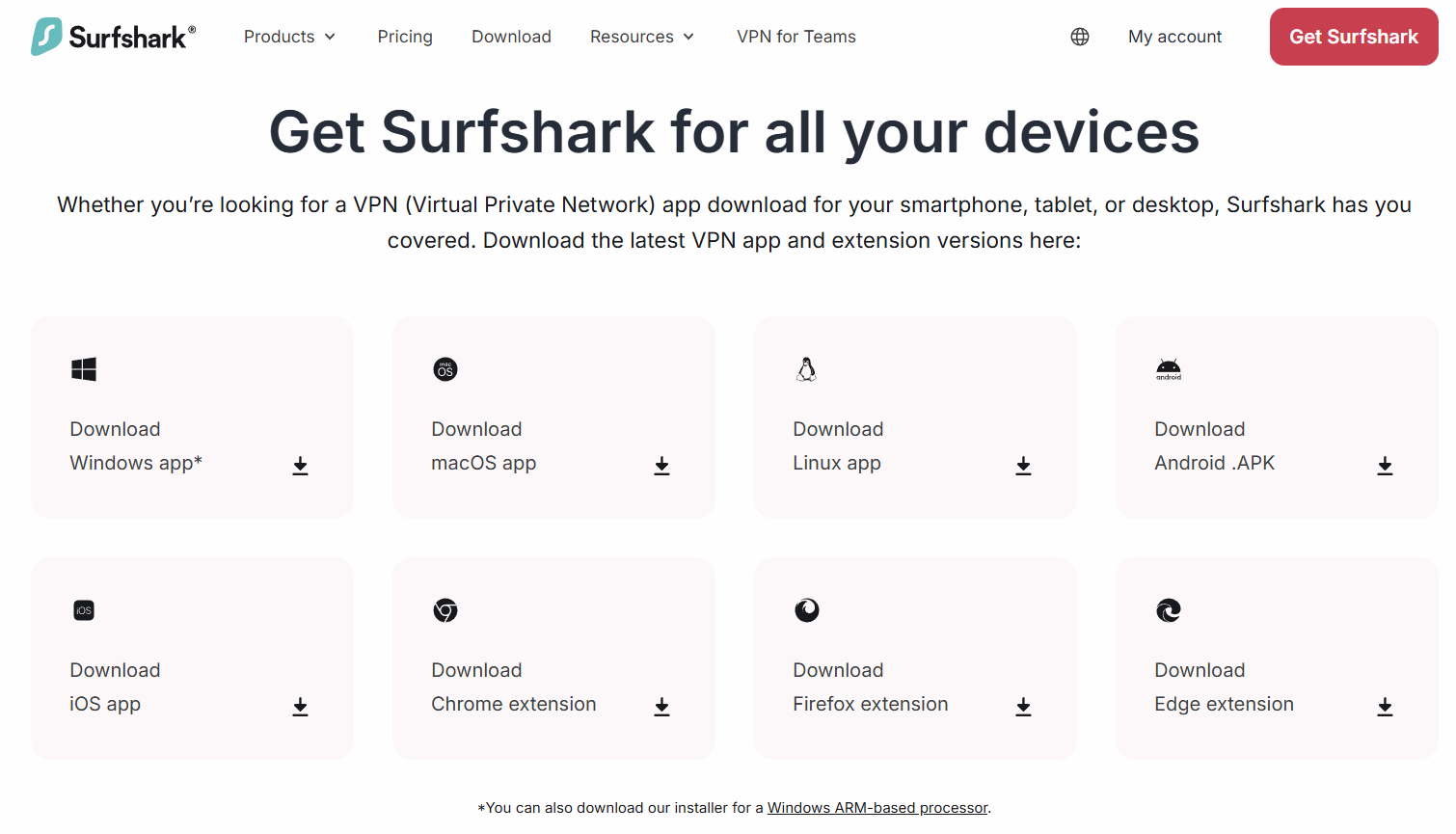
Surfshark ships native apps for Windows, Mac, and Linux, all downloadable directly from Surfshark's own site — Linux includes both a command-line client and a graphical app.
Windows
- Sign up for a plan or start the trial, then go to your account dashboard.
- Download the Windows installer (
.exe) from the dashboard. - Run the installer and follow the setup steps.
- Sign in with your Surfshark account.
- Pick a server or a specialty mode — like MultiHop or Camouflage Mode, covered below — and connect.
Mac
- From your account dashboard, download the macOS installer (
.dmg), or install directly from the Mac App Store. - Open the file and drag Surfshark into Applications.
- On first launch, approve the network extension prompt macOS shows — required for the VPN tunnel, and standard for every VPN app on macOS.
- Sign in and connect to a server.
Linux
- From your account dashboard, download the
.debor.rpmpackage matching your distribution, or the standalone Linux GUI app if your distribution supports it. - Install via terminal, for example
sudo apt install ./surfshark-vpn.debon Debian-based systems. - Run
surfshark-vpn loginand enter your account credentials. - Connect using either the CLI (
surfshark-vpn attackfor the fastest server) or the graphical app if installed.
Surfshark for iPhone and Android
Surfshark's mobile apps carry most of the same core features as desktop, with a few platform-specific limits — GPS spoofing and Camouflage Mode's full OpenVPN-based configuration are more flexible on desktop than mobile, which is a platform constraint rather than a Surfshark choice.
Android
- Open Google Play and search "Surfshark VPN," or follow the link from Surfshark's official site.
- Confirm the developer is listed as Surfshark Ltd before installing.
- Install and open the app, then start the 7-day free trial or sign in with an existing plan.
- Grant the Android VPN permission when prompted.
- Pick a server and connect.
iOS (iPhone and iPad)
- Open the App Store and search "Surfshark VPN."
- Tap Get to install, then open the app.
- Start the 7-day free trial or sign in with your account.
- Approve the "VPN configuration" prompt — Apple's standard system dialog for any VPN app.
- Choose a server and connect.
Surfshark browser extension
Surfshark's browser extension is available for Chrome, Firefox, and Edge, directly from each browser's official add-on store. Unlike some competitors' free-tier extensions, Surfshark's requires an active paid subscription — there's no limited free version, only a full one gated behind sign-in.
Like any browser-based VPN extension, Surfshark's secures traffic inside that specific browser only, not your whole device and not other apps running alongside it. It's a genuinely convenient way to toggle location for browser-only tasks, but if you're gaming, torrenting, or using apps outside the browser, the full desktop or mobile app is the tool that actually covers that traffic.
- Go to the Chrome Web Store, Firefox Add-ons page, or Edge Add-ons store and search "Surfshark VPN."
- Click Add to install.
- Click the Surfshark icon in your browser toolbar.
- Sign in with your Surfshark account.
- Choose a server location and click Connect.
Surfshark servers
Surfshark operates 4,500+ servers across roughly 100 countries, all supporting WireGuard, OpenVPN, and IKEv2 protocols, with WireGuard as the default for most connections due to its speed advantage. Beyond the standard server list, a few specialized categories are worth knowing:
- MultiHop (Dynamic MultiHop) — routes your traffic through two separate countries instead of one, adding an extra layer of separation between your real IP and your destination. Unlike some competitors' fixed hop pairings, Surfshark lets you pick both the entry and exit country independently.
- NoBorders Mode — automatically detects when you're on a network that restricts VPN traffic and switches to a curated list of servers built to get through that restriction.
- Camouflage Mode — disguises VPN traffic to look like regular HTTPS browsing, similar in purpose to ExpressVPN's Lightway obfuscation, though on Surfshark it requires manually selecting the OpenVPN protocol to activate rather than switching on automatically.
- Static and rotating IPs — a Dedicated IP add-on is available for an extra monthly fee in around 20 locations, useful if a service you use regularly flags shared IP addresses as suspicious.
WireGuard's speed advantage over OpenVPN is a real, measurable difference rather than marketing language — you can check the gap on your own connection using our VPN Speed Comparison tool instead of relying on either provider's own benchmarks.
Surfshark Antivirus and the One bundle
Surfshark sells the VPN alone or bundled with a broader security suite, split across three tiers rather than one flat product:
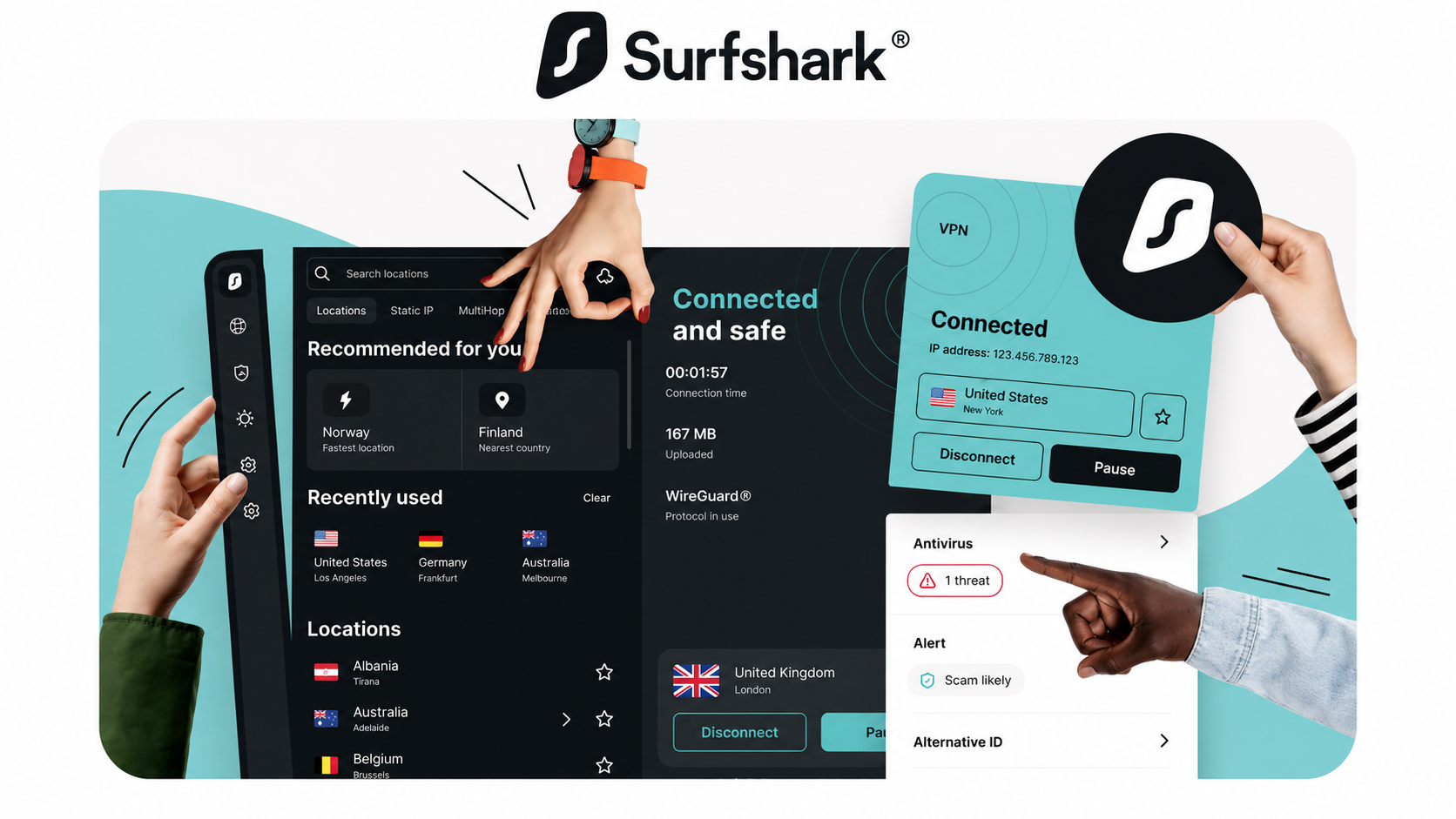
- Starter — the VPN itself: full server network, unlimited devices, CleanWeb ad and tracker blocking, kill switch, MultiHop, and Alternative ID for generating a masked identity.
- One — everything in Starter, plus Surfshark Antivirus (real-time malware scanning for Windows and Mac), Surfshark Alert (monitors whether your email or personal data has appeared in a known data breach), Surfshark Search (a private, ad-free search engine), and webcam protection.
- One+ — everything in One, plus Incogni, a data-removal service that contacts data-broker and people-search sites on your behalf and requests deletion of your personal information.
The One tier is usually the better value of the three for most people: the price gap over Starter is often just a dollar or two, and getting antivirus and breach monitoring bundled in beats paying for those separately. One+ is worth the extra cost specifically if you've searched your own name on a people-search site and found your phone number, address, or relatives listed — Incogni's ongoing removal requests are the actual product there, not a one-time scan.
Surfshark VPN price
Surfshark's per-month cost depends on both the tier (Starter, One, One+) and the billing length. Pricing shifts with seasonal promotions, so treat this as a snapshot and confirm the live rate at checkout.
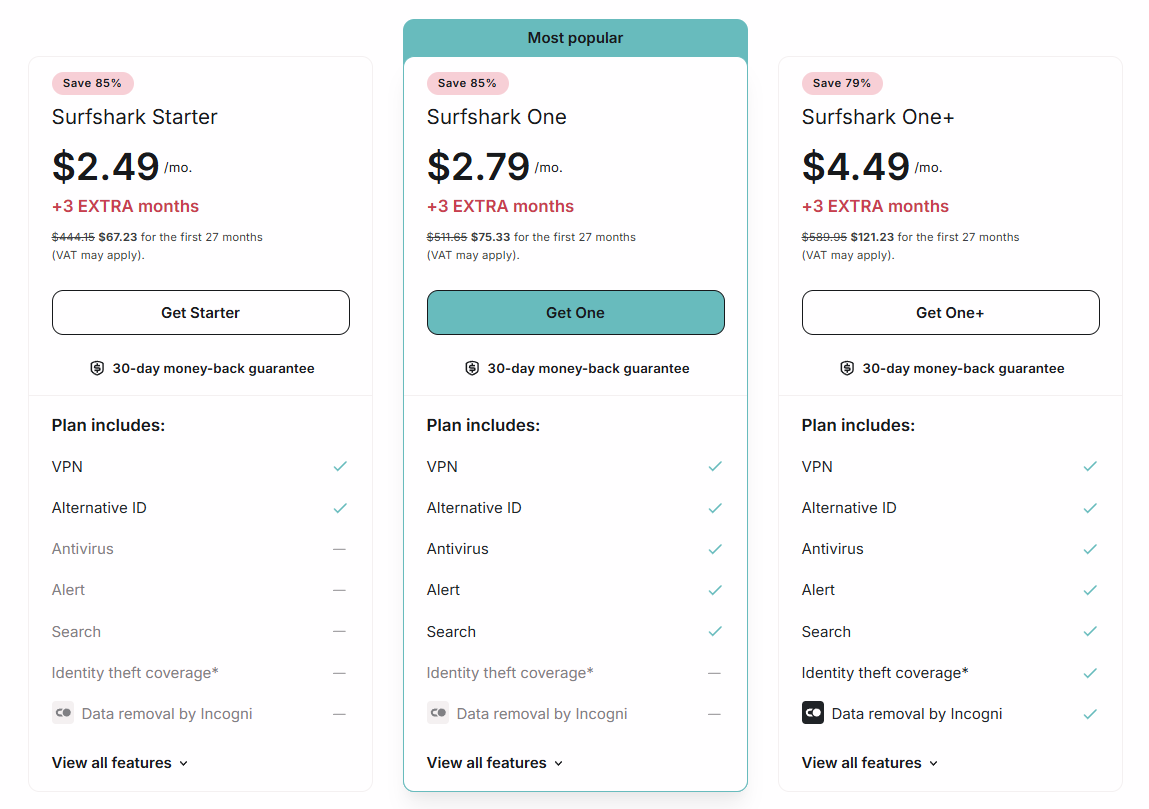
| Plan | Monthly (no commitment) | 12-month | 24-month (+ bonus months) |
|---|---|---|---|
| Starter | ~$15.45–16.45/mo | ~$3.19–3.39/mo | ~$1.99–2.49/mo |
| One | ~$17.95–18.95/mo | ~$4.49–5.29/mo | ~$2.49–2.79/mo |
| One+ | ~$20.85–21.85/mo | ~$6.99–7.99/mo | ~$4.19–4.49/mo |
Every tier and term includes unlimited simultaneous devices — that's not a higher-tier perk, it's the baseline across the entire lineup. The steepest jump to watch for is renewal pricing: 2-year introductory rates typically renew at a noticeably higher annual price once the first term ends, commonly cited around $99/year for Starter, $119/year for One, and $149/year for One+. Contacting support ahead of a renewal date sometimes surfaces a discounted rate instead of the full price, which is worth trying before you accept the sticker renewal cost.
Who owns Surfshark
Surfshark isn't owned by NordVPN outright, but the two share a parent structure. In February 2022, Surfshark merged with Nord Security — the company behind NordVPN — under a new joint holding entity called Cyberspace, registered in the Netherlands. The stated goal, per both companies' announcements, was combining resources and technical knowledge while keeping the two VPN products themselves operationally separate: different infrastructure, different engineering teams, different product roadmaps.
This is a meaningfully different arrangement from Kape Technologies' relationship with ExpressVPN and CyberGhost, which are outright acquisitions by a single controlling company. Surfshark and NordVPN describe theirs as a merger of equals rather than one brand absorbing the other, and neither company has disclosed the financial terms. Whether that distinction matters to you depends on your specific threat model — if avoiding any VPN with a shared corporate lineage to a competitor is a hard requirement, the Surfshark/NordVPN relationship is still a real overlap worth factoring in, even without a single controlling parent the way Kape's brands have.
Is Surfshark a good VPN for privacy
Mostly yes, with one specific, disclosed nuance worth understanding rather than glossing over. Surfshark doesn't log your browsing history, traffic content, or DNS queries — the standard no-logs claim — and that claim has been independently audited by Deloitte twice: first in December 2022, and again in a second assurance report completed June 10, 2025.
The nuance: Deloitte's 2025 audit also confirmed that Surfshark temporarily retains your session IP address for up to 15 minutes after you disconnect, specifically to detect and prevent abuse of its network (like spam or attack traffic tied to a shared server). That's a disclosed, audited, time-limited practice, not a hidden logging violation — but it does mean a strict "zero IP retention, ever, for any duration" claim wouldn't be accurate for Surfshark the way it is for a provider whose servers are architecturally RAM-only with no session state at all. If that distinction matters for your specific threat model, it's worth knowing rather than assuming Surfshark's no-logs claim is identical in scope to ExpressVPN's or CyberGhost's.
Surfshark's browser extensions were separately audited by Cure53 in 2018, and its server infrastructure again by Cure53 in 2021, both turning up only minor issues that were subsequently fixed. Its Android app also passed a Mobile Application Security Assessment (MASA) audit in December 2023. As with any VPN's claims, you can check the actual leak behavior yourself rather than relying on any provider's audits alone, using our own DNS leak test and WebRTC leak test.
Surfshark VPN in China
Surfshark can work in China, but it takes manual setup — it isn't automatic the way ExpressVPN's Lightway obfuscation is, and reliability is more mixed. Getting it to work requires:
- Subscribing and installing the app before you travel — Surfshark's site and app-store listings are blocked inside mainland China, so there's no way to download or activate an account once you're already there.
- Manually setting the protocol to OpenVPN (TCP) in Settings → Protocol — this is the step most guides flag as the one that actually matters, since Camouflage Mode's obfuscation only activates on the OpenVPN protocol, not on WireGuard or IKEv2.
- Confirming Camouflage Mode is switched on, then enabling NoBorders Mode as well, which will surface a curated list of servers built for restrictive networks.
- Connecting to a nearby server — Japan, Taiwan, and Singapore are commonly recommended for the best latency from mainland China.
Independent 2026 testing places Surfshark behind China specialists like Astrill and behind ExpressVPN's automatic-obfuscation approach for pure reliability, largely because Surfshark's obfuscation isn't applied by default and has to be manually configured correctly before you connect. Its advantage is price: at roughly $2/month on a long-term plan, it's meaningfully cheaper than every other VPN that has a realistic shot at working there, and unlimited devices means you can test the same setup across several devices at once while troubleshooting.
Surfshark VPN in India
Surfshark removed its physical Indian servers on June 7, 2022, ahead of a CERT-In directive that would have required VPN providers with physical infrastructure inside India to store customer names, IP addresses, and usage logs for five years. Surfshark's own public statement was direct: the new rule "goes against the core ethos" of a no-logs provider, and complying would have meant reconfiguring its technical infrastructure specifically to start keeping the records it was built not to keep.
In place of physical servers, Surfshark introduced virtual Indian server locations, physically hosted in Singapore, the Netherlands, and London while still assigning an Indian-registered IP address. Surfshark describes these as functionally identical to the physical servers they replaced for everyday browsing and streaming — you still get an Indian IP, just not from hardware sitting inside India's jurisdiction. Using a VPN remains legal for individuals in India; CERT-In's rule targets provider infrastructure, not the act of connecting.
Surfshark for the US, UK, Canada, and Australia
VPN use is legal for individuals in the United States, the United Kingdom, Canada, and Australia, and none of the four requires VPN providers to retain user logs the way India's CERT-In rule does. All four are also members of broader intelligence-sharing arrangements — the US, UK, Canada, and Australia are all Five Eyes members, on top of the Netherlands' own Nine Eyes membership discussed earlier — which is a relevant data point for jurisdiction-sensitive users, though not one that overrides Surfshark's audited no-logs practices for what it actually collects.
For streaming specifically, Surfshark maintains active, working servers in all four countries and is commonly recommended for unblocking US Netflix, BBC iPlayer (UK), and regional sports streaming in Canada and Australia — the same core streaming capability covered in more detail below.
Surfshark and Netflix
Yes, Surfshark works with Netflix and several other major streaming platforms, without the dedicated, individually labeled servers some competitors build for the purpose — Surfshark generally unblocks through its regular country servers rather than a separate "Netflix US" entry. If one server fails with a proxy error, connecting to a different server in the same country is the most common fix, since Netflix blocks specific IP ranges rather than entire countries.
- Reconnect for a new IP if you hit a "you seem to be using an unblocker" error — Surfshark's shared IPs mean a specific address can occasionally get flagged.
- Switch to WireGuard if you're on OpenVPN and streaming feels slow or inconsistent — WireGuard is generally the faster protocol for this specific use case.
- Clear your browser or app cache, since a stored session can sometimes cause a mismatch flag independent of your current IP.
- Turn off Camouflage Mode for streaming if it's enabled — obfuscation is built for getting past network-level VPN blocks, not for unblocking Netflix, and can occasionally interfere rather than help in this specific context.
Who Surfshark is actually for
Yes, for most everyday use cases. Surfshark fits households covering many devices under one subscription, price-conscious users who still want an audited no-logs claim, and anyone who'd rather bundle antivirus and breach monitoring into one subscription instead of paying for separate tools. Two completed Deloitte audits, working (if manual) China access, and consistent streaming support across major platforms cover most of what people actually need from a VPN.
It's a weaker fit if China access specifically needs to be automatic and highly reliable rather than manually configured — ExpressVPN's Lightway is the more consistent option there — or if avoiding any VPN with a shared corporate lineage to a larger competitor is a hard requirement for your threat model, given the Nord Security merger. Neither is a flaw in Surfshark's core product; both are reasons a different provider might fit a specific situation better.
Frequently asked questions
Is Surfshark a good VPN?
Yes, for most users. It combines unlimited device connections, two completed Deloitte no-logs audits, and consistently strong streaming support at one of the lowest long-term prices in the category. Its main caveats are a disclosed 15-minute session IP retention window and its 2022 merger with Nord Security, NordVPN's parent company.
Is Surfshark free?
No permanent free tier. Surfshark offers a 7-day free trial through the iOS and Android app stores, plus a 30-day money-back guarantee on every plan bought directly through its own site.
Is there a Surfshark promo code?
PrivacyTestLab doesn't have an affiliate discount code for Surfshark. Its advertised pricing is already discounted heavily year-round, with additional seasonal sales around Black Friday, New Year, and summer — compare any third-party code against the live checkout price before assuming it adds real savings.
How many devices can I use with Surfshark?
Unlimited simultaneous devices, on every plan tier — Starter, One, and One+ all include it as a baseline feature rather than a paid upgrade.
Does Surfshark work in China?
It can, but it takes manual setup: install the app before traveling, manually switch the protocol to OpenVPN (TCP) so Camouflage Mode activates, and enable NoBorders Mode. It's less consistently reliable than ExpressVPN's automatic obfuscation, but meaningfully cheaper.
Why did Surfshark remove its India servers?
Surfshark pulled its physical Indian servers in June 2022 rather than comply with a CERT-In directive requiring VPN providers to store customer logs for five years. It still offers virtual Indian server locations hosted in Singapore, the Netherlands, and London.
Does Surfshark have antivirus?
Yes, but only on the One and One+ tiers, not the base Starter plan. Surfshark Antivirus is bundled with breach monitoring (Surfshark Alert), a private search engine (Surfshark Search), and webcam protection at that tier.
Is Surfshark owned by NordVPN?
Not outright. The two merged under a shared holding company, Cyberspace, in February 2022, but both state they continue to operate independently with separate infrastructure and product teams.
Does Surfshark have a browser extension?
Yes, for Chrome, Firefox, and Edge. Unlike some competitors, it requires an active paid subscription to use — there's no separate free-tier version of the extension.